How to Turn Any TV Into an Interactive Business Display Using an Amazon Fire TV Stick (2026 Guide)
To turn any TV into an interactive business display, plug an Amazon Fire TV Stick into your TV’s HDMI port, connect to Wi-Fi, install the free Moment Page app from the Amazon Appstore, and enter your 8-character activation code at MomentPage.com. In under 5 minutes, your screen displays live QR-code customer photos, custom announcements, and automated Google Review prompts.
Most business owners have at least one flat-screen TV mounted on the wall that is either turned off, playing distracting cable news, or airing competitor commercials. Traditional enterprise digital signage providers try to solve this by selling proprietary media players for $250+ per screen alongside $30 to $50 monthly software fees.
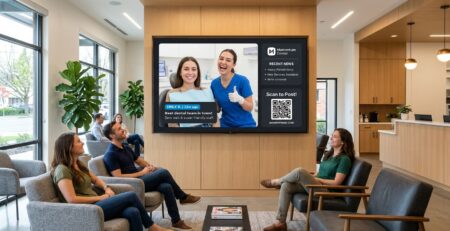
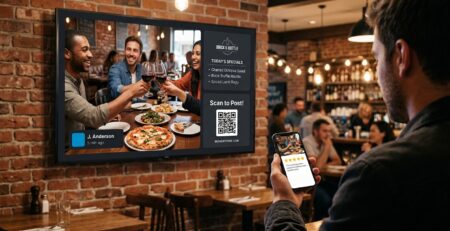
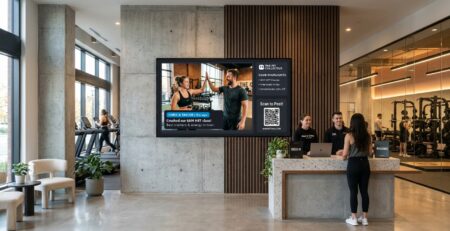
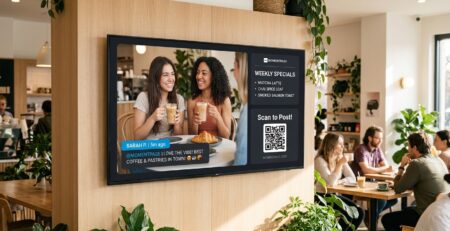
With an affordable Amazon Fire TV Stick and Moment Page, you can bypass expensive hardware contracts completely. Built for all venues and every industry—from restaurants, cafes, and bars to dental practices, gyms and fitness centers, retail stores, salons, churches, and live events—Moment Page transforms any HDMI television into a dynamic engagement hub.
Why Amazon Fire TV Sticks Are the Best Hardware for Business Signage
Consumer streaming sticks have quietly surpassed legacy commercial signage boxes in reliability, Wi-Fi reception, and graphics rendering. Here is why thousands of local businesses standardize on Fire TV hardware:
- Ultra-Low Hardware Cost: An Amazon Fire TV Stick Lite, HD, or 4K costs between $25 and $49—up to 85% less than proprietary signage players.
- Hidden Behind the Screen: Plugs directly into your TV’s rear HDMI port with zero bulky boxes, exposed cables, or wall brackets required.
- Cloud-Managed Updates: Once paired with Moment Page, you never need to touch the TV remote again. Update your announcements and approve customer photos from your phone or laptop anywhere in the world.
- Built for Every Industry: Whether you run an auto repair waiting lounge, a school campus, or a busy storefront, the same plug-and-play setup scales across 1 to 100+ screens.
Step-by-Step: How to Set Up Moment Page on Your Fire TV Stick in 5 Minutes
Step 1: Plug In Your Amazon Fire TV Stick & Connect to Wi-Fi
Insert your Amazon Fire TV Stick into an available HDMI port on your television and plug the power adapter into a wall outlet (for continuous 24/7 operation, use the included wall power brick rather than the TV’s low-power USB port). Connect the device to your venue’s Wi-Fi network.
Step 2: Download the Moment Page App from the Amazon Appstore
From the Fire TV home screen, navigate to the Find / Search icon and type “Moment Page” (or use Alexa voice search on your remote). Select the official Moment Page app and click Download / Get. When launched, your screen will display a unique 8-character alphanumeric Activation Code.
Step 3: Create Your Free Moment Page Account & Pair Your Screen
Visit MomentPage.com/register on your smartphone or computer. Enter your venue name, upload your business logo, input the 8-character Activation Code shown on your TV, and choose your preferred display layout:
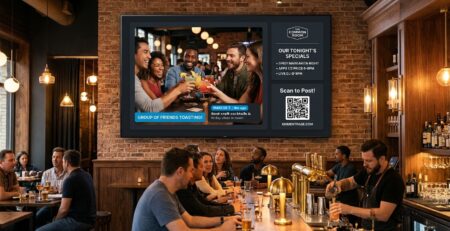
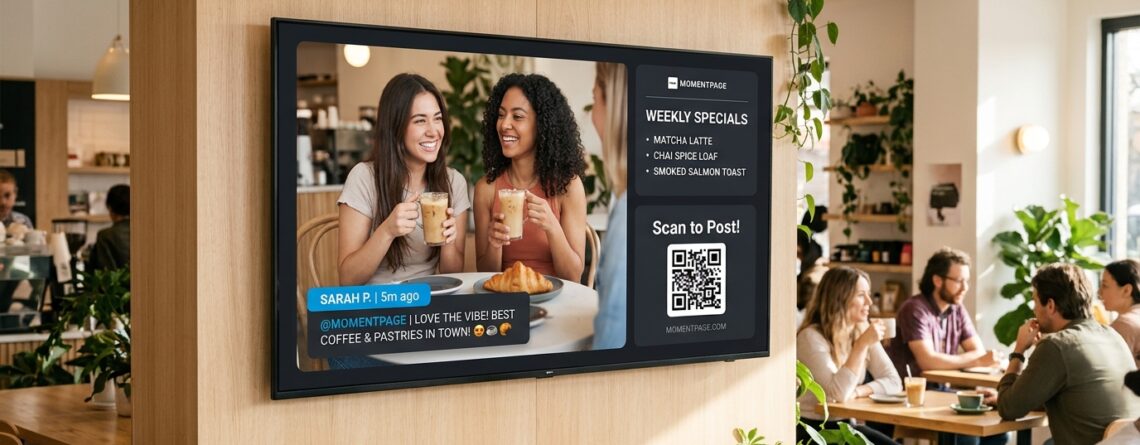
- Dark Theme (Split-Screen): High-contrast dark slate interface featuring a 6-photo live customer gallery on the left alongside your custom announcement card and QR code card on the right.
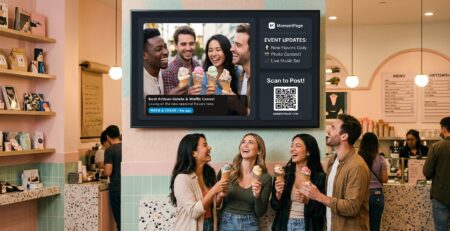
- Light Theme (Split-Screen): Bright, airy layout ideal for medical offices, daytime cafes, salons, and boutiques.
- Full-Screen Mode: Immersive edge-to-edge customer photo showcase with a sleek floating QR code overlay.
Step 4: Customize Your Business Message & Google Review Link
In your Moment Page dashboard, add your daily specials, Wi-Fi password, or loyalty program bullet points, and paste your Google Place ID. Whenever a customer scans the on-screen QR code to share a photo from your venue, Moment Page automatically invites them to leave a 5-star Google review right on their phone.
| Feature / Cost Factor | Traditional Commercial Signage Box | USB Stick Slideshow | Amazon Fire TV + Moment Page |
|---|---|---|---|
| Hardware Cost Per TV | $200 – $450 proprietary player | $10 USB flash drive | $25 – $49 Amazon Fire TV Stick |
| Monthly Software Fee | $30 – $50/month per screen | $0 (manual labor required) | Free to start (Optional Pro upgrades) |
| Remote Cloud Updates | Yes (complex portal) | No (must unplug USB physically) | Instant updates from phone or laptop |
| Interactive QR Photo Wall | Not included | Impossible | Built-in with 1-click owner moderation |
| Automated Google Reviews | Not included | Impossible | Direct review prompt after photo upload |
| Free Starter Option | None (paid hardware/apps) | None (monthly fee) | Free ad-supported signage, with optional Premium Access to remove ads |
Pro Tip: Prevent Your Fire TV From Going to Sleep
In your Fire TV Stick settings, navigate to Settings → Display & Sounds → Screensaver and set “Start Time” to Never. The Moment Page Fire TV app also actively keeps your display awake while running so your digital signage stays crisp all day long.
Frequently Asked Questions About Fire TV Digital Signage
Do I need a smart TV to use Moment Page?
No. Any flat-screen TV or monitor with a standard HDMI port works. The Amazon Fire TV Stick provides all the smart connectivity and runs the Moment Page app natively.
Can I control what customers post to my TV screen?
Yes, 100%. Moment Page includes built-in moderation controls so you can review and approve guest photo submissions from your phone before they ever appear on your venue’s TV.
How does Moment Page offer free digital signage, and can I remove ads?
Moment Page offers an ad-supported free tier supported by local sponsorships through the Ad Marketplace, where nearby businesses can promote offers on local venue TVs. If you prefer an ad-free display for your venue, you can upgrade to Premium Access anytime.
Ready to Transform Your Venue’s TV Screens?
Join businesses across every industry using Moment Page to showcase live customer photos, promote daily specials, and generate 5-star Google reviews automatically.